I must admit that I have been curious about audio and video editing for a long time, but I just did not know where to begin. I could actually say that about many of the topics that I have explored since I began my Master's program one year ago. I really appreciate the way that Lamar's program is designed to promote student exploration with "just enough" guidance. In the Multimedia class, we were directed to explore video and audio editing options that were available for free on the internet. I chose VideoPad Video Editor Professional. It is free for a 14-day trial and then it is less than $100 to purchase.
When I downloaded VideoPad, it pointed me to a tutorial website where I found two "quickstart" videos, part one and part two. At first, I would play part of the video and stop it, go to the software and practice. Then I would go back to the video for more information and practice again. In less than an hour, I had figured out the basics of the program.
Once I saw the overview and realized how the program is set up, it was very easy to cut video and audio, insert text or video overlays, insert blank slides for text only or save the video. There is an extensive sound effects gallery available for the consumer's use. There are also effects that can be added to text or still photos. I found this program extremely easy and effective for my purposes.
I can see that this new knowledge will be extremely valuable to me in my current position and in my future position as technology leader. Currently, I can foresee taking information from teachers and working with my students to create videos for use in learning and teaching. I think it's a very exciting prospect!
Download Link:
http://www.nchsoftware.com/videopad/index.html?gclid=COzU19v01KwCFeZeTAod9ibxrg
Tutorials:
http://www.nchsoftware.com/videopad/tutorial.html
About Me
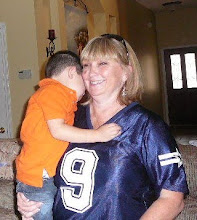
- Pam Mahalec
- I'm a late bloomer...going back to school after my children are grown. I have 1 precious grandson and 3 children. I teach Homebound Students (too sick to attend school, but can work at their own pace). I hope to earn my Master's Degree in Educational Technology Leadership in order to move to the college level at some point.

No comments:
Post a Comment